


FAQ
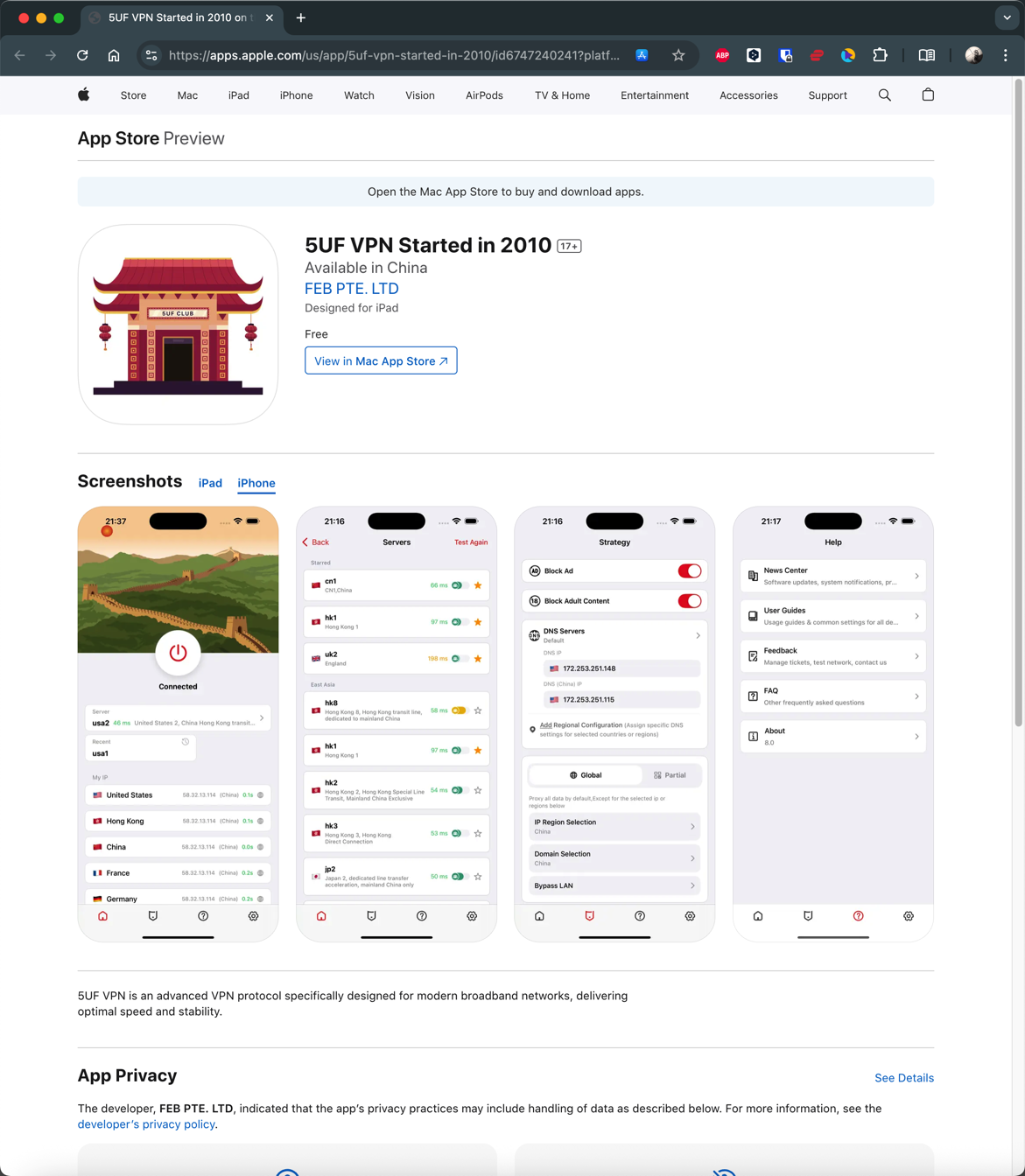
How to install 5UF APP in iPhone 

IOS download:
https://apps.apple.com/us/app/id6747240241
Chinese users need to use an account from a non-mainland China app store to download the app.
5UF VPN for Android (recommended, with changelog)
1. Download
Download here ,

2. Installation
Install APK file. (If after downloading, file becomes .zip, you will need to rename the file by deleting the .zip at the end)Support android4.0 above.
3. Use
Use the username and password on our website to Login.
PS:
Since version 3.0, the new Android client supports Trojan protocol, has a new interface, more servers, is more stable, and faster.
The old version can be used, but it is no longer updated.
Changelog:
2025.8.14 Version 4.2 Allows 5UF to be added to control panel
2025.8.8 Version 4.1 Brand New UI
2025.6.63.1 Multi-language fix
2025.5.31 Dragon Boat Festival
3.0 New kernel version, internationalization, update to Google Play
2020.04.08
Get packages from the official download center
2018.11.23
2.3 fix android 9 bug.
September 1, 2017
1.8 fix same bugs.
1.7 Added support for SS protocol
July 1, 2017
1.5 Repair customer service system error
May 12, 2017
1.1 The first public beta
May 1, 2017
1.0 released the first beta version
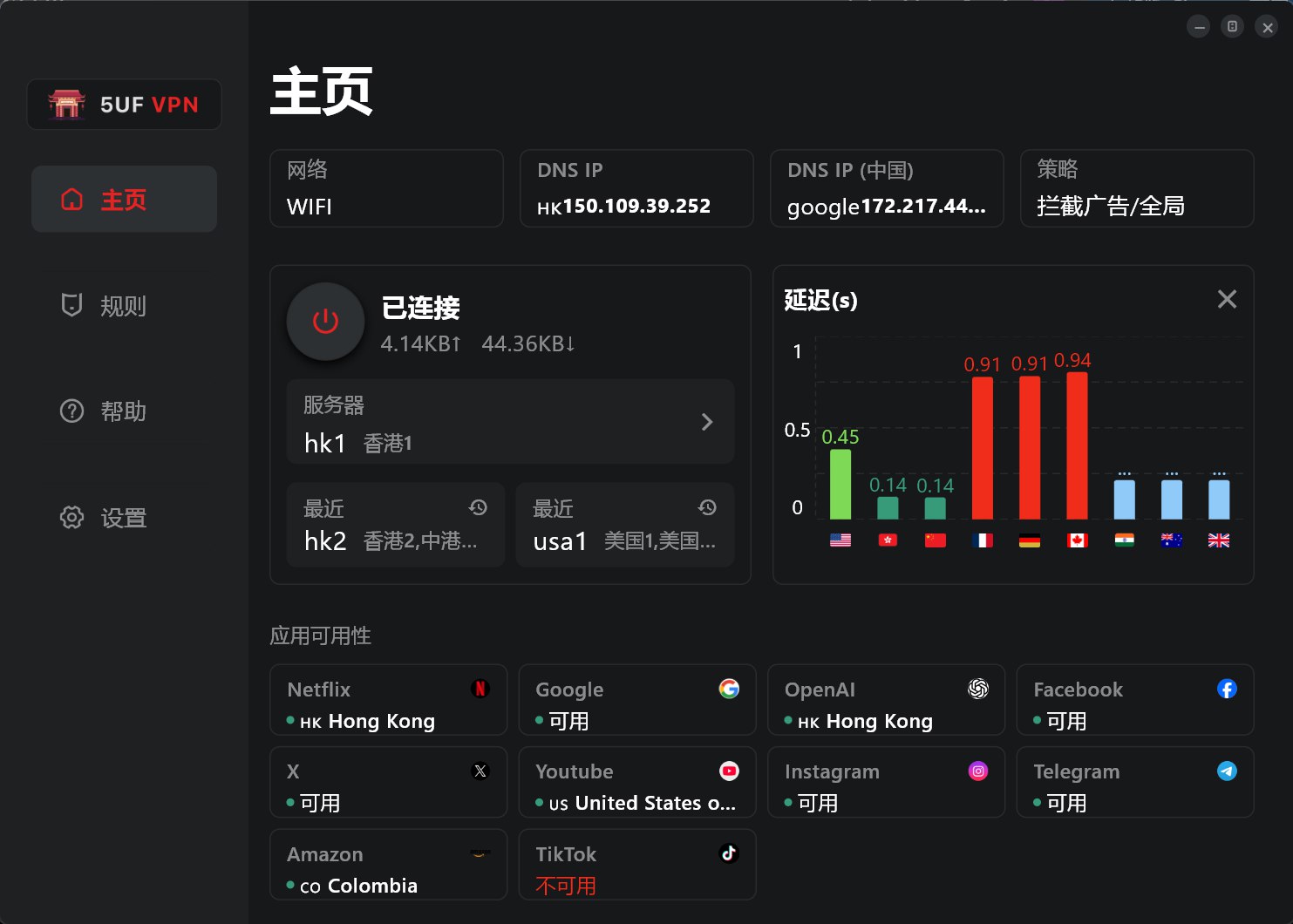
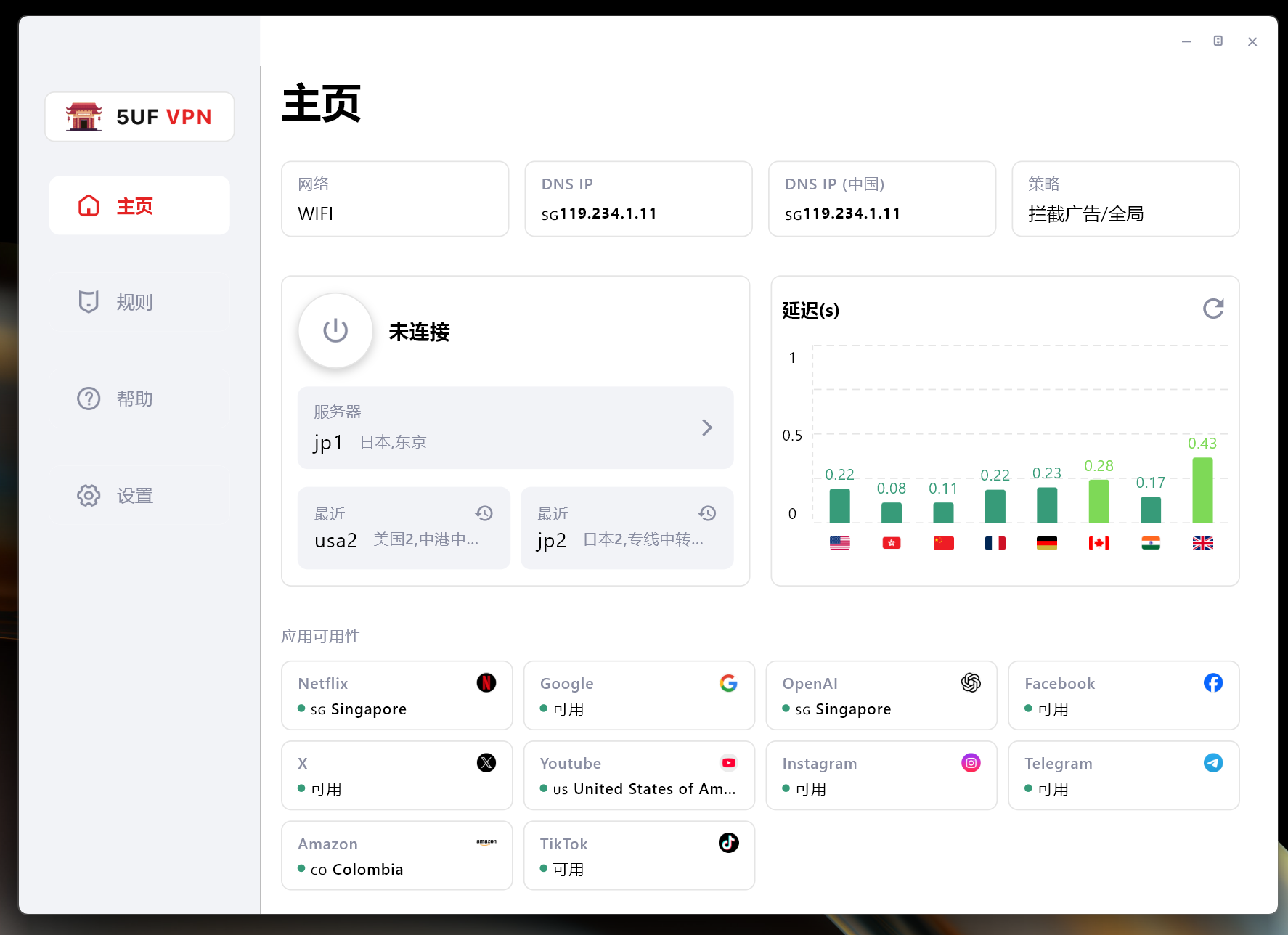
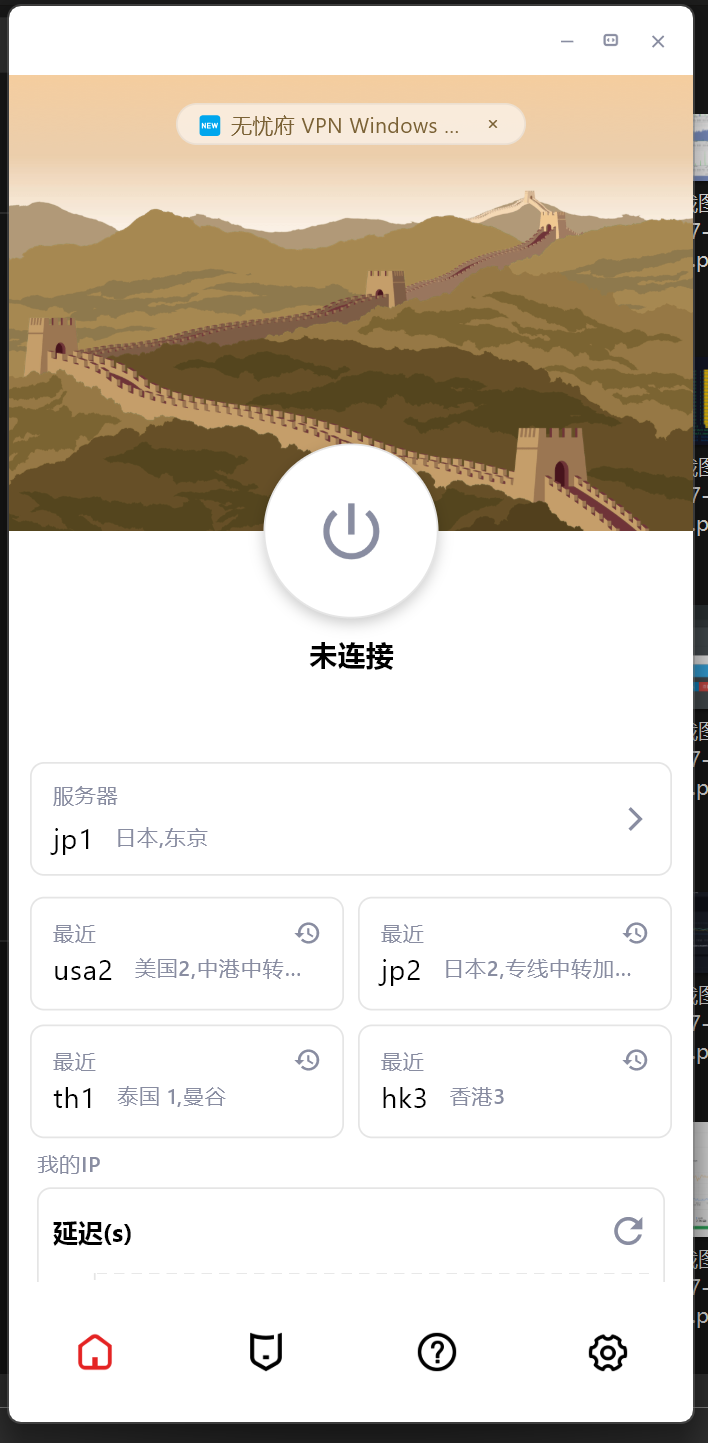
Windows one-click setup for all clients (recommended, with changelog)
最新版 4.1 客户端,修正了多个BUG,支持更多协议,连接更稳定,速度更流程,有效保护数据免受篡改与窥探。

Changelog:
2014年12月11日 1.07版 对外公布,之前我们内部测试多次,多个版本,所以首个对外的版本是1.07
2014年12月18日 1.08版 修正了最小化窗体后,会自动弹出窗口的问题。
2015年01月07日 1.09版 修正更新域名后不能使用的问题。
2015年02月11日 2.0.0.0版,增加了N多功能
解决了部分杀毒软件报病毒的问题,是因为压缩的问题,现在已经不压缩。
增加了更换DNS的功能
增加了永久路由功能
增加了添加路由和删除路由时显示百分比
测速时重新加载服务器列表
增加了恢复hosts文件的功能,部分用户因为修改了这个文件,造成部分网站不能访问
生成支持文件(方便我们的帮部分用户分析问题)
优化了部分操作逻辑,比如点击退出时提示是否清空路由,是否最小化,是否断开VPN等问题。
2015年02月15日 2.0.0.1
修复程序退出的时候,右下角的状态栏图标没有消失的问题,鼠标要放一下会自动消失,现在这个问题已经修复。
修复程序启动的时候,如果没有网络出错的问题,现在已经提示正常
win8启动的时候不再自动使用修复sstp功能,只在需要的时候在工具菜单那里运行下
2015年04月29日 2.0.0.2
修复了xp系统下,如果本地网卡是使用自定义DNS,使用我们的工具里设置google dns等后还原后会丢失原来的dns配置的问题。
增强了性能,现在不同的服务器,不同的类型都使用独立的拨号链接,互不影响,解决了以前如果前一个vpn断不开,后面一个不能拨号的问题,(以前是必须重启机器才能恢复)。
2015年09月18日 2.0.0.3
修复深圳部分小运营商运行时,初始化的问题。
增加PPTP是否加密的选项。
在设置工具里增加快速打开“网络连接”。
在没有拨号的情况下退出软件提示“退出会断开VPN" 的提示的逻辑问题。
2015年09月23日 2.0.0.4
断开和连上时在线人数自动加减1,解决断线后需要重新运行程序的问题。
2015年12月23日 2.0.0.5
修复多个连接数时,有时候判断超过连接数错误bug。
针对国内DNS环境不稳定的情况,优化了部分地区有时候 初始化 问题,现在更加稳定。
取消自动创建的拨号链接功能,现在用户的VPN连接里不会出现我们程序里自动配置的VPN连接。
除了L2TP协议外,360不再提示需要修改pbk文件。
2015年12月26日 2.0.0.6
修复L2TP协议时,重新启动时无法拨号的bug。
修复PPTP加密重新启动时无法记忆的问题。
2016年1月6日 2.0.0.7
修复在测速列表双击服务器选择不了的bug。
windows10需要禁用掉IPV6,才能解决DNS污染的问题.
2016年2月24日 2.0.0.8
修复windows10用户l2tp不能使用的问题.
增强部分网络情况下初始化失败的问题,增强了更多网络环境下的可用性.
windows10用户拨号的时候提示修复禁用IPv6.
修复生成技术支持文件的bug,同时把这个按钮放在登陆页面,确保没有登陆时也能生成技术支持文件.
修复部分网络下断开连接不生效的问题,提示已经断开,事实上没有断开,造成多个连接重拨.
修复不停的点击断开按钮,在线数会减少的bug,事实上不会真减少.
2017.4.20 3.0
完全重新架构的新版本,使用C++重新开发,更加高效
新增加:
直接支持openvpn
多语言系统中不再乱码(但还都显示是简体中文)
全新界面
增加和删除国内路由更快了,可以瞬间完成,以前需要很久的百分比,且增加过程中占用cpu比较高。
连接更多稳定可靠,旧版本在某些环境中l2tp,ikev2不能稳定使用,需要重启机器才行。
更多网络环境中可以用,以前的版本中可能会出现“登陆失败”,新版本已经对这种情况做了更多兼容处理。
2017.4.21 3.1 3.2
修复iKev2模式下,默认网关没有设置的bug
更改点击X为隐藏窗体,更熟悉国人的操作习惯,如果要退出,请在右下角托盘那里,右键退出。
3.2 修复下载配置文件不能更新的bug
2025.7.28 日 4.0
全新架构
2025.8.8 日 4.1
修复了界面还有一些链接问题
What is the difference between relay nodes and direct nodes?

Relay (transit) nodes send traffic to a relay inside mainland China first, then forward it toward overseas destinations over dedicated or optimized backhaul. That path is often more predictable than raw public-internet crossings, which can mean better stability and higher peak performance for cross-border use. Building and operating relays costs more, so relay plans may differ from plain direct routes in pricing or lineup.
Direct nodes rely more on the public internet, connecting straight to overseas servers. Cross-border public paths may see packet loss, throttling, or intermittent blocking in some regions or hours. Even when a route works, speeds can plunge at busy times. If you are in mainland China and need reliability, relay lines are usually the safer choice.
5UF is among the few providers that can offer lawful mainland relay capacity alongside standard options. We also tune routing for selected sites and services. Example: some Hong Kong nodes may not work well with OpenAI ChatGPT over a plain path, but with relay and routing optimization, Hong Kong and similar regions can reach those AI services more reliably. If a specific AI site or service fails for you, contact support so we can prioritize routing fixes.
Available nodes depend on the app and the list on our site; plans differ in node types and counts. See your subscription details for what applies to you.
How to quickly select a server and run speed tests in the 5UF VPN app
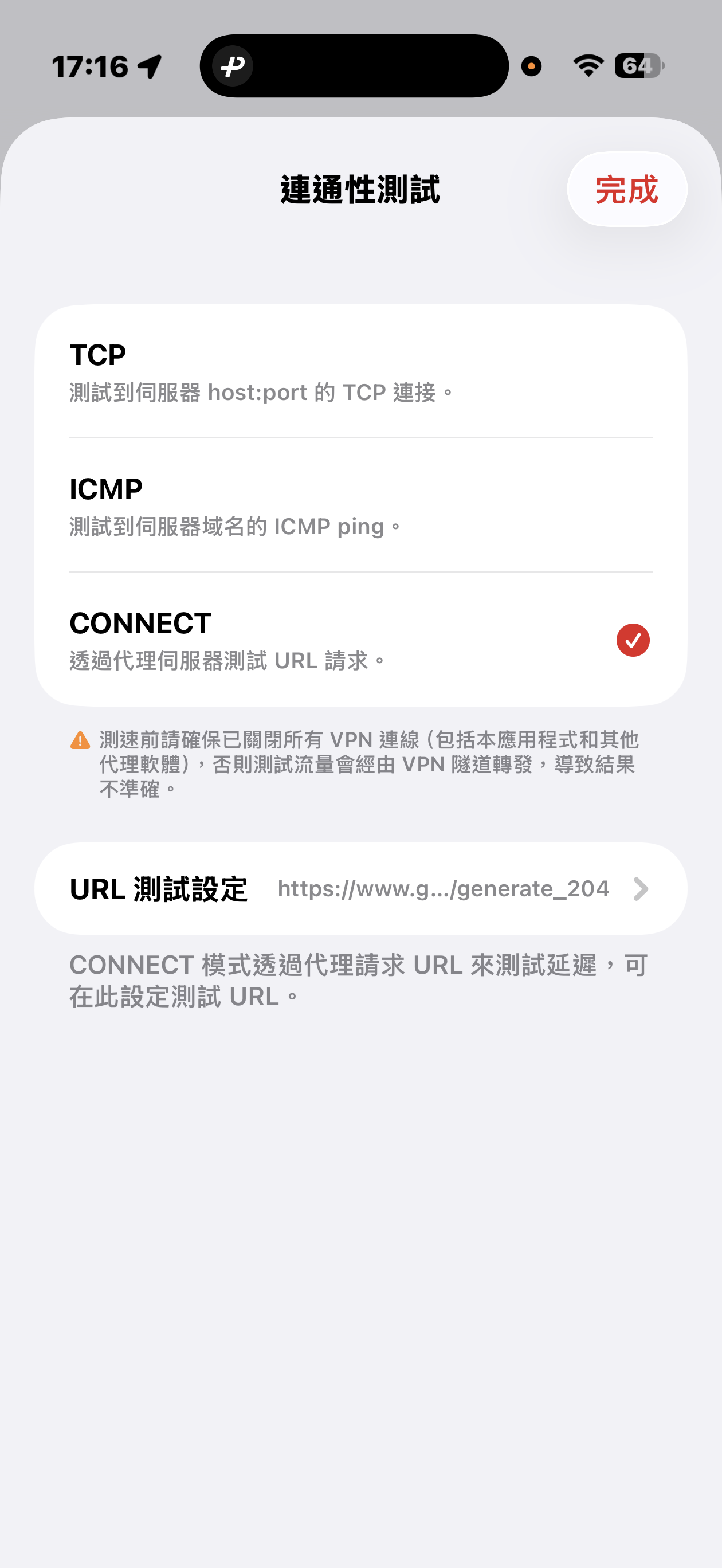
The 5UF VPN app offers quick connectivity tests from the server list screen: tap Speed test at the top right (sometimes next to a settings icon), open Connectivity test, then pick a method.
Three test modes
- TCP: Measures how long it takes to complete a TCP handshake to each server host and port. The app runs multiple probes and shows an average so you can compare routes quickly.
- ICMP: Sends ICMP echo (ping) to the server hostname, similar to the ping tools built into desktop and mobile systems, to see round-trip latency.
- CONNECT: Issues an HTTP(S) request to a test URL through the proxy path, which best mimics real VPN usage. It is usually the slowest mode, but in heavily restricted networks it helps find nodes that still work. You can change the test URL under URL test settings.
Before testing, disconnect all VPN and proxy software, including this app. Otherwise traffic may still go through a tunnel and the numbers will not reflect your raw local path.
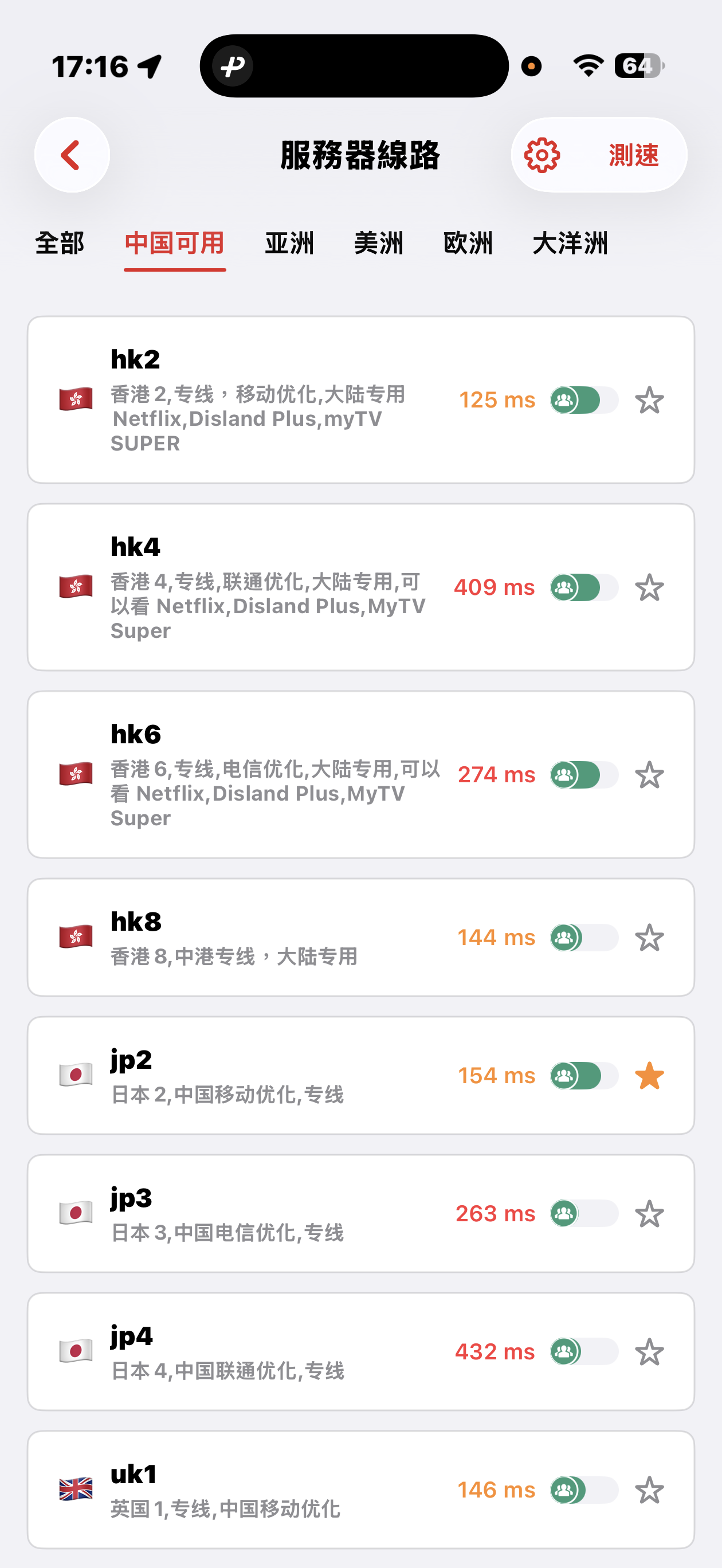
Mainland China: Strict blocking may make some overseas nodes unreachable; that can be normal. Use the Available in China category for optimized dedicated lines that aim to stay usable under heavy filtering, with carrier hints for China Mobile, China Unicom, and China Telecom. Pick a line that matches your ISP or SIM.
Choosing a server: Auto-select uses TCP results, then picks one server at random from among the fastest, balancing speed and load. You can also browse by geography (for example Asia, Americas, Europe) and choose manually.
Why are servers fast at peak hours? How does the Mainland China–Hong Kong dedicated line keep service stable?
Many people ask whether a VPN gets slow or flaky during evening peak hours. For users in Mainland China, our design relies on contracted dedicated circuits between Mainland China and Hong Kong: you get committed, non–best-effort bandwidth on a path that does not compete with the busiest public international internet exits at night. The cross-border access leg therefore usually stays low-latency and predictable at peak times, on carrier-grade private connectivity with the SLAs that come with it.
Important distinction: once traffic leaves our Hong Kong edge toward faraway destinations (for example services that only have a US front door), it crosses Hong Kong’s international interconnects and submarine segments. During Hong Kong peak hours, that international segment can congest. You may then notice a few sites or apps feel slower—that is usually the HK→destination path, not our Mainland–HK dedicated access “throttling.”
Major apps are generally optimized for Hong Kong and APAC with local or nearby points of presence, so day-to-day browsing rarely shows those effects. A smaller set of services that mostly live in the US and hit a busy path are more likely to feel slower at peak.
We have served the China market for sixteen years. Planned work, major events, and routing updates are announced through our official news feed; you can browse the archive at news and past notices.
Where can I read release notes after an app or website update?
Major releases and infrastructure changes are announced under News. The app may also show its own upgrade prompts—follow in-app release notes when you update.
Can I get an invoice after subscribing or paying?
Yes. We provide a formal invoice for every successful payment, suitable for reimbursement and accounting records.
Our company is registered in Singapore and meets its tax obligations there. The invoices we issue follow formats recognised in Singapore (IRAS) for compliant tax documentation.
If you need a Mainland China VAT fapiao or other PRC tax invoice, we cannot provide that at this time.
How to download: sign in and open My Orders, then download the invoice for each payment from its order row.
Using Sing-box VT on Mac with 5UF VPN
To use a third-party client on macOS, install Sing-box VT from the Mac App Store (third-party software, not published by 5UF). 5UF serves a Trojan (Xray) compatible profile as a sing-box subscription that includes server lists and routing rules.
1. Install the app
You need a non-Mainland-China Apple ID. Install from the App Store: Sing-box VT
2. Copy your sing-box URL
Sign in to the 5UF user panel in a browser and open the Xray (Trojan) configuration page (typically https://www.5ufclub.com/xray_config). Copy the full sing-box configuration subscription URL with the one-click copy button.
That URL embeds your private UUID—do not share it. If it may have leaked, use Change UUID on the same page so the old URLs stop working immediately, then copy the new sing-box link and import again.
3. Import into Sing-box VT
In the app, add or update a profile by importing from URL / subscription (wording depends on the app version), paste the copied link, save, and let the app refresh nodes and rule sets.
4. Connect and test
Enable the profile and visit any site that shows your public IP to confirm traffic exits through the VPN. If import or connection fails, check that the URL was copied completely, your account is active, and the network is not blocking the endpoints; generating a new UUID and re-importing often resolves stale links.
Screenshots (UI may change between releases):
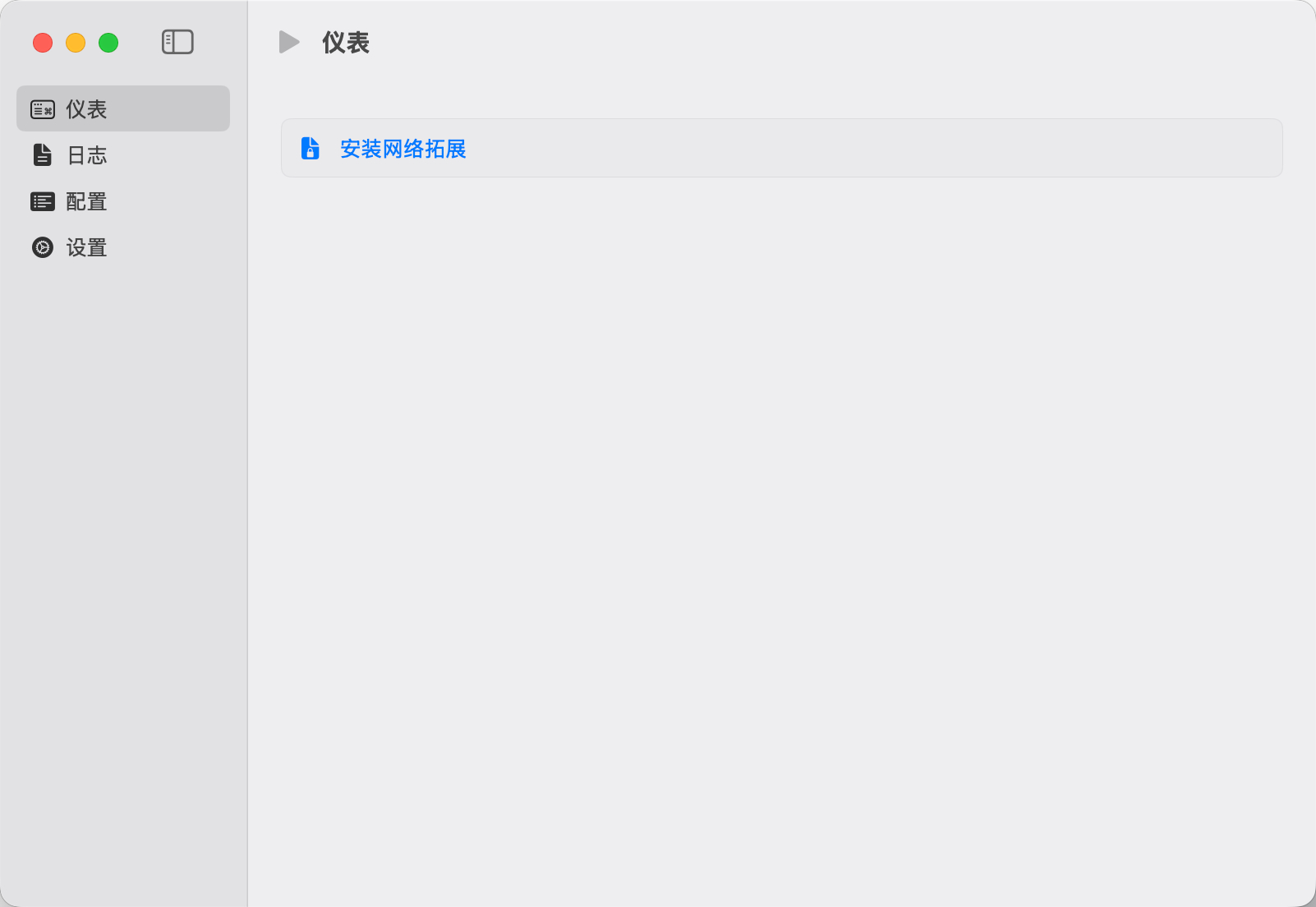
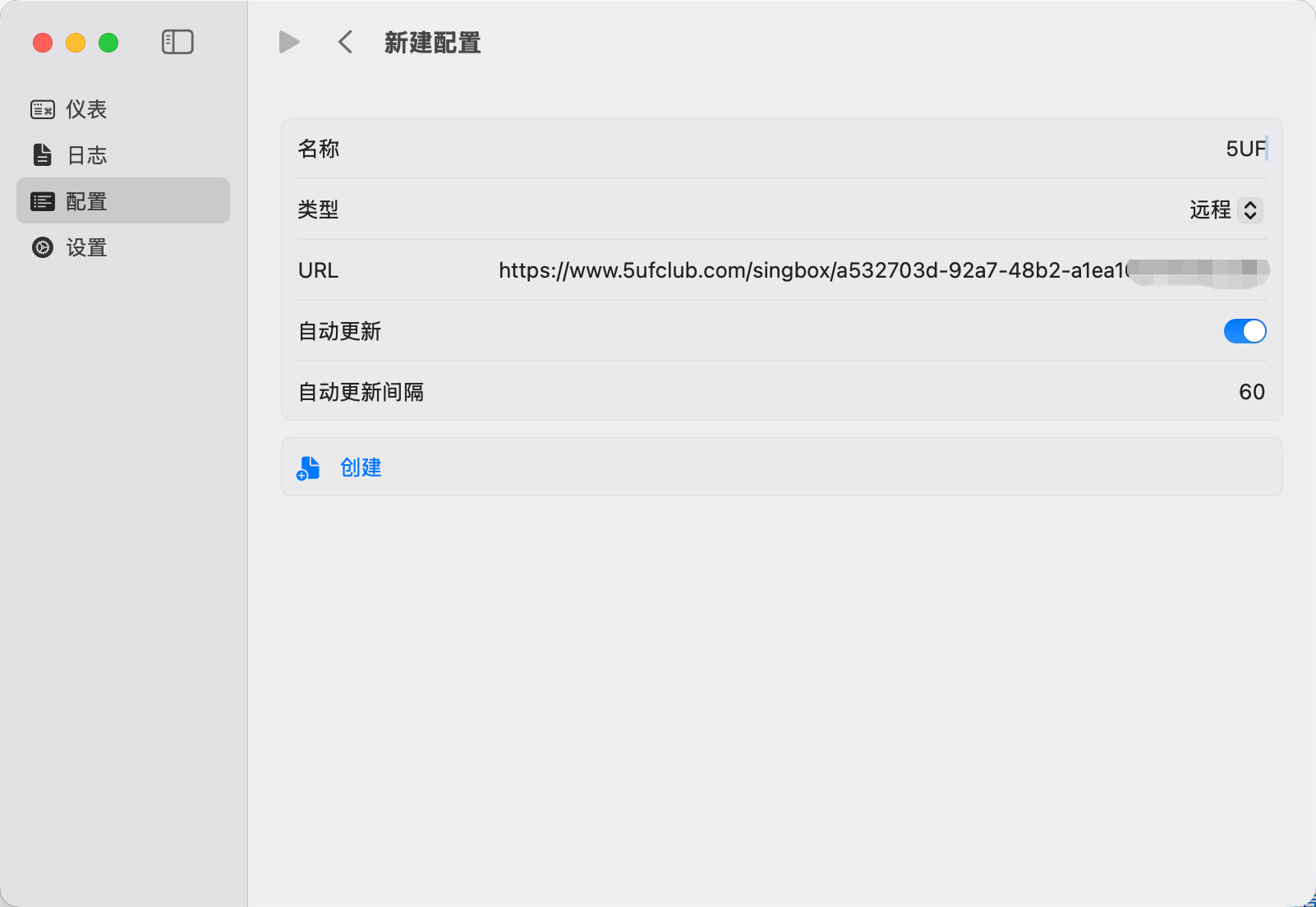
For the official all-in-one experience, use the 5UF VPN Mac app from our site. This article targets users who prefer the sing-box ecosystem.
What if the new app does not run on Windows 7 or Windows 8?
The latest official 5UF VPN app for Windows is built and tested for newer Windows releases. On Windows 7 and Windows 8, which are largely out of mainstream support, you may see install failures, startup issues, or connection problems. We cannot guarantee the same experience as the new app on those systems in the near term.
If you must stay on an old Windows version, consider one of the following:
- Upgrade Windows to a supported release your hardware can run (for example Windows 10 or 11), then install the latest official app; or
- Use a legacy Windows build of our client where still supported (feature and security updates may lag; follow site or support guidance); or
- Use Super VPN (browser extension) for browser-based access; or
- Use a third-party VPN client with manual setup: How to use a third-party app with 5UF VPN on Windows (tutorial).
Whenever possible, we still recommend a supported OS + latest official app for the best stability and security.
What if the official app does not work properly on iOS 16 or earlier?
On iOS 16 and earlier, the official 5UF app may have compatibility limitations. We are working on improvements. Until a full fix is available, we suggest one of the following:
- Update iOS to the latest version your device supports, then use the official app; or
- Use a third-party VPN client with 5UF (especially if you cannot upgrade).
If your device can no longer run a newer iOS, a third-party client is still the practical option. Step-by-step guide:
How to use a third-party app with 5UF VPN (tutorial)
We will keep improving support for iOS 16 and earlier and post updates on the website and in the app when available.
Can I still buy old plans, purchase extra connection slots separately, or get discounts?
We have streamlined our plans and purchase flow under an updated company policy. The goal is a consistent buying and usage experience across platforms and less confusion when choosing options.
Under the current policy, only the “Personal Professional” tier is available for new purchases. It allows up to five devices online at the same time. Extra connection slots or add-on device seats are not sold separately.
We encourage you to use the service on multiple devices you personally own. We do not recommend sharing one account among many people; that may violate acceptable use and can affect security and service quality.
For any promotions or discounts, please follow the checkout page and official announcements; limited-time offers will be shown on the website or in the app when available.
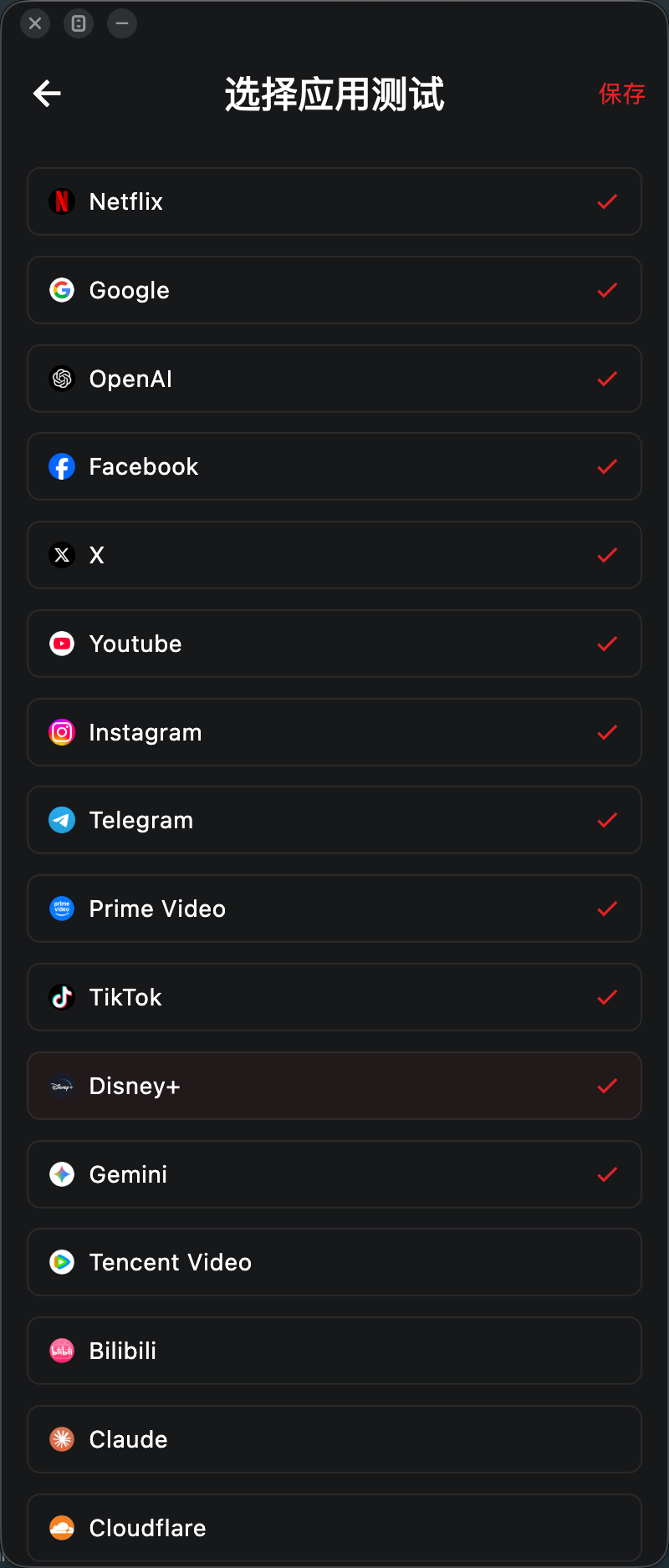
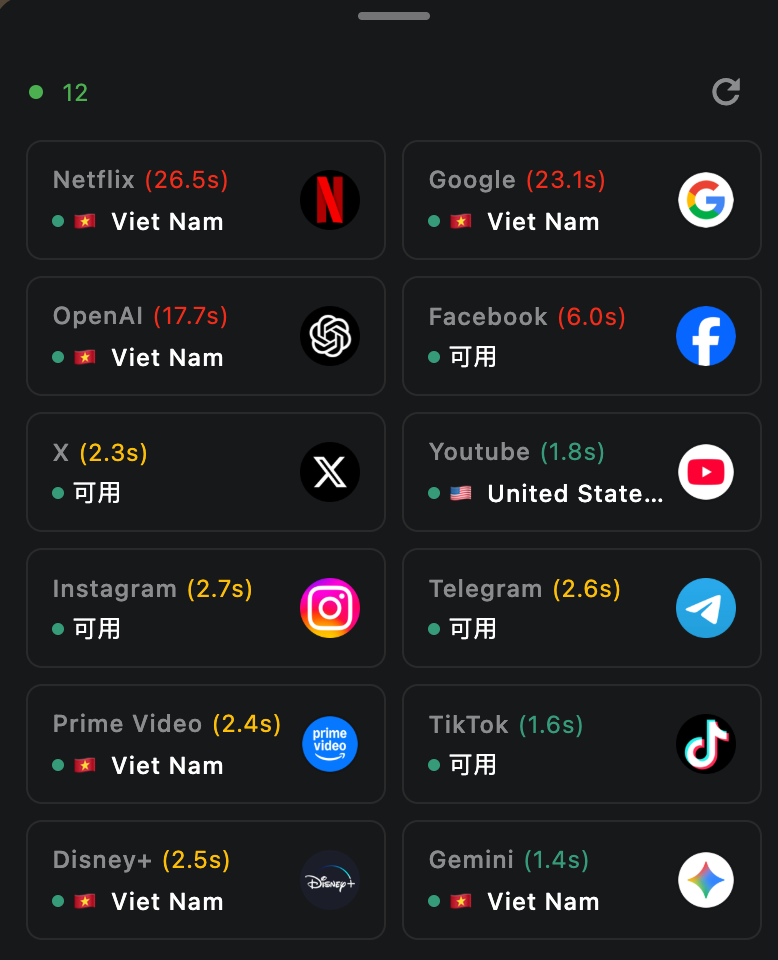
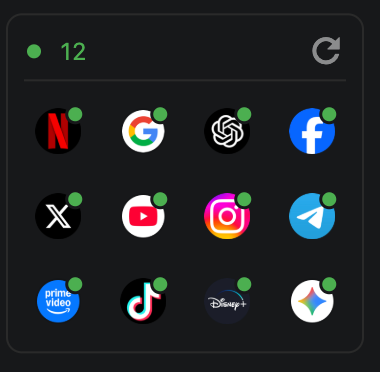
What is the app “availability test” on the home screen, and how does it work?
The availability test simulates requests to dedicated check URLs for selected apps. Based on what comes back, it can help you gauge whether your current network can reach those apps and whether you appear to fall into a given country or region’s service area.
Please note: results are not guaranteed to be accurate, and not every service can clearly report a country or region. The feature is meant for a quick, practical snapshot of app reachability in your current environment—not a definitive geo or compliance check.
Many availability checks are built in. You can add or remove the apps you care about in Settings.
Each run is very fast, uses very little data, and has a minimal resource footprint on your device.
What if Super VPN is unstable?
Try changing network or switching to another server. If you need a more stable long-term setup, use the latest 5UF VPN app instead of relying on the old browser-based solution.
Why does the extension keep asking me to sign in again?
- Local extension data may be corrupted.
- You may be entering the wrong password type.
- Your browser may have cleared the extension storage.
Try signing in again first. If the problem continues, clear the extension data and add it again, or switch to the latest 5UF VPN app.
What is the compatibility password?
The compatibility password is kept for old protocols and legacy compatibility mode. It may be different from your normal app login password. Please follow the information shown in your account panel.
Why does it ask for my password again after I select a server?
In that case, you usually need to enter your compatibility password, not your normal app login password.
- When signing in to the account: usually use your normal account password.
- When a password prompt appears again after selecting a server: usually use the compatibility password.
Does Super VPN only work inside the browser?
Yes. Super VPN mainly works in the browser environment and does not route all system traffic like the latest app.
What is the difference between Super VPN and the latest app?
- The latest 5UF VPN app is better for regular use, with better stability and compatibility.
- Super VPN is more suitable for browser-based access and quick switching. It is not a full-system VPN.
Should I use Super VPN or the latest 5UF VPN app?
Super VPN is suitable for temporary browser access. For daily use, we still recommend the latest 5UF VPN app.
-
1 month · Unlimited Traffic
Standard rate
Supports 1 device online; you can buy more connections
$8.39 USD
-
6 months · Unlimited Traffic
20% off
Supports 1 device online; you can buy more connections
Pay for 4.8 months, get 6 months (save 1.2 months)
$40.28 USD
-
1 year · Unlimited Traffic
40% off
Supports 1 device online; you can buy more connections
Pay for 7.2 months, get 12 months (save 4.8 months)
$60.42 USD
News
-
Mar 245UF VPN iOS 9.2 Released: Fixes Critical Connection Performance Issue
-
Mar 21English|5UF VPN Browser Extension v4.2 Release Notes
-
Mar 125UF VPN Completes Full Platform Update-New In-App Ticket Support System Now Available Across All Platforms
-
Mar 12Official Website Redesign for 2026
-
Dec 115UF 5.3 Update — Essential Bug Fixes Across Windows, Mac, Linux, and Android!
-
Dec 10🎉 5UF VPN – 15th Anniversary Special Announcement


